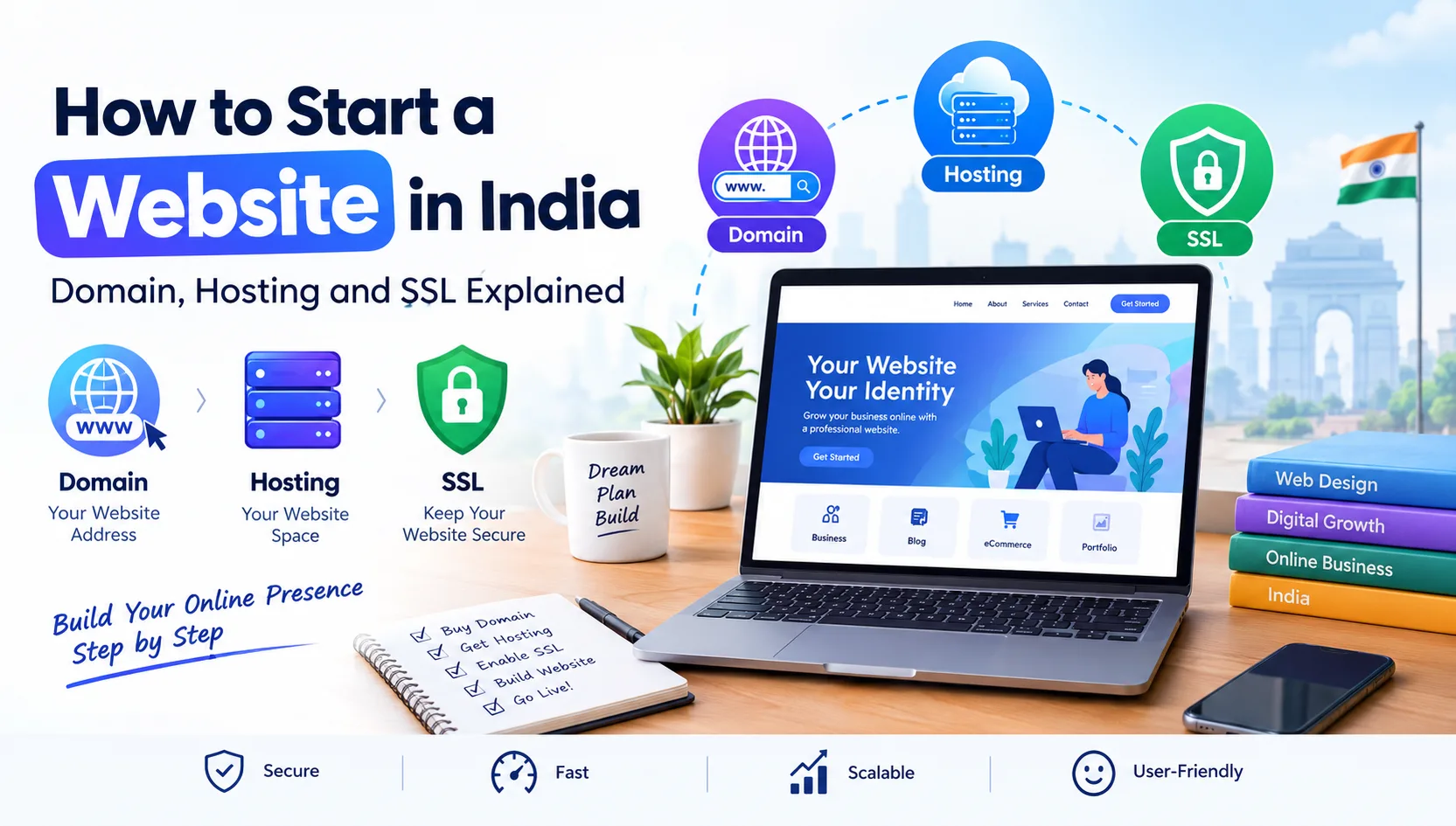
Starting a website in India is easier than many people think. Whether you want to launch a business website, create a personal blog, showcase your services, or sell products online, you can get started with just a few essential things: a domain name, web hosting, and an SSL certificate.
However, choosing the right services can be confusing, especially if you are building your first website. You may wonder which domain extension to choose, how much hosting you need, whether SSL is compulsory, and how to keep your website secure without spending too much money.
This guide explains how to start a website in India step by step, helping you understand the basics and make informed decisions for your online presence.
Why Do You Need a Website for Your Business?
A website gives your business a place on the internet where customers can learn about your services, explore your products, and contact you whenever they need assistance.
Unlike social media profiles, your website gives you greater control over your content, branding, and customer experience.
Here are some common reasons to create a website:
Business promotion: Introduce your company, services, and achievements.
Online sales: Sell products through an eCommerce website.
Lead generation: Receive enquiries through contact forms and WhatsApp.
Blogging: Publish useful articles and build an audience.
Professional identity: Establish credibility with potential customers.
Online visibility: Help people discover your business through search engines.
Once you understand your purpose, you can choose the right domain, hosting plan, and website platform.
1. Choose and Register a Domain Name
A domain name is your website's address on the internet. For example, example.com is a domain name that people can enter into their browser to visit a website.
Your domain is often the first thing a potential customer notices about your business, so choose something simple and relevant.
Which domain extension should you choose?
Different domain extensions serve different purposes.
.com: A popular choice for businesses serving customers in India and internationally.
.in: Suitable for businesses, professionals, and websites targeting the Indian market.
.co.in: Commonly used by Indian commercial businesses.
.org: Often associated with organisations and non-profit initiatives.
.net: An alternative general-purpose domain extension.
For most Indian businesses, .com and .in are practical options. Your final choice should depend on availability, branding, and your target audience.
Tips for choosing the right domain name
Keep these points in mind before registering a domain:
Choose a name that is easy to spell and remember.
Avoid unnecessary numbers and complicated spellings.
Include your brand name whenever possible.
Check for similar names that could confuse customers.
Check relevant trademark rights before committing to a name.
Compare renewal prices, not just the first-year registration offer.
You can register a domain through a reputable domain registrar. Before purchasing, check the renewal charges and make sure you retain access to the account that controls your domain.
Important: A domain name is registered for a specific period and must be renewed to maintain ownership rights. Enable renewal reminders and keep your contact details updated.
2. Select Reliable Web Hosting
Registering a domain gives your website an address, but you also need a place to store its files and database. This is where web hosting comes in.
A web hosting service stores website files on a server and makes them accessible to visitors over the internet.
For example, if your domain is your shop's address, web hosting is the space where your shop operates.
Types of web hosting available in India
The right hosting plan depends on your website's size, traffic, technology, and budget.
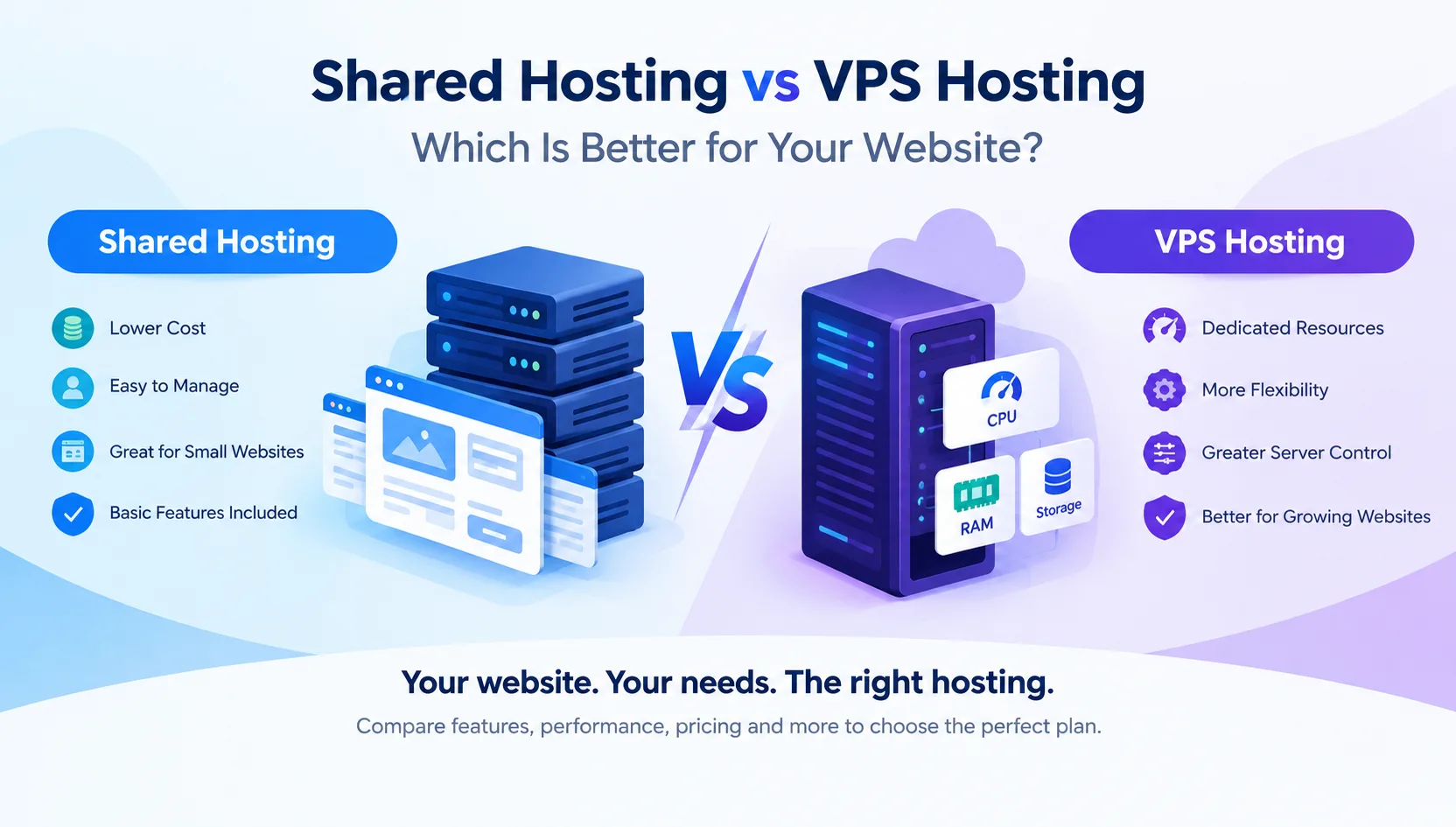
Shared hosting places multiple websites on the same server. It is generally an affordable starting point for small business websites, portfolios, blogs, and new projects.
Advantages:
Budget-friendly plans
Suitable for many beginner websites
Usually includes a hosting control panel
Often offers email, database, and SSL features depending on the plan
A Virtual Private Server (VPS) provides a virtualised server environment with allocated resources.
It can be suitable for growing websites, web applications, development projects, and businesses that need more control over their hosting environment.
Advantages:
More control over server configuration
Allocated computing resources
Greater flexibility for technical requirements
Options to scale resources as needed
VPS hosting may require server administration skills, especially when you choose an unmanaged plan.
Dedicated Server Hosting
Dedicated hosting provides an entire physical server for your use. It can be appropriate for resource-intensive websites, demanding applications, and workloads requiring extensive configuration control.
However, it usually costs more than shared or VPS hosting and may require professional server management.
Cloud hosting uses a cloud infrastructure to provide computing resources. Depending on the provider and configuration, it can offer flexible scaling, redundancy, and options for handling changing workloads.
Which hosting plan is best for beginners?
If you are creating your first business website, portfolio, or simple blog, shared hosting is often a sensible starting point.
Choose VPS hosting when your website requires more resources, advanced configurations, or additional control. Consider dedicated or cloud infrastructure when your workload and business requirements justify the additional cost and complexity.
Do not select a plan based on storage alone. Compare bandwidth, CPU and RAM limits, database support, backups, security features, support quality, and renewal pricing.
3. Understand SSL Certificates and Website Security
SSL is another important part of launching a website.
An SSL/TLS certificate helps establish an encrypted connection between a visitor's browser and your website. This protects information travelling between them against interception and tampering.
Websites using HTTPS display a secure connection indicator in modern browsers.
Why is SSL important?
An SSL certificate can help you:
Protect information submitted through website forms.
Secure login sessions and customer interactions.
Build confidence among website visitors.
Enable HTTPS for your website.
Meet an important technical requirement for secure online transactions.
If you collect customer details, operate an online store, or provide account logins, HTTPS is essential.
Is a free SSL certificate enough?
For many standard websites, a free SSL certificate from a trusted certificate authority is sufficient.
Depending on the hosting provider, free SSL may be included with the hosting plan or available through a supported certificate service.
Paid certificates may offer additional validation or support features, but paying for a certificate does not automatically make a website more secure than one using a correctly configured, trusted free certificate.
After enabling SSL, check that your website loads through HTTPS and that images, scripts, stylesheets, and other resources do not cause mixed-content warnings. Set up appropriate HTTPS redirects and renew certificates before they expire.
Remember that SSL does not protect your website against every threat. You still need strong passwords, software updates, backups, access controls, and suitable security monitoring.
4. Connect Your Domain to Your Hosting
After purchasing your domain and hosting plan, you need to connect the two services.
This process allows visitors to reach the website files stored on your hosting server.
There are two common ways to do this:
Method 1: Update Nameservers
Your hosting provider may supply nameservers that you can enter in your domain registrar's control panel.
Once the changes are saved, DNS updates can take time to become visible worldwide.
Method 2: Configure DNS Records
If you manage DNS separately, you may need to configure records such as an A record for your website's IPv4 address and, where applicable, an AAAA record for IPv6.
Your hosting provider should supply the correct values.
Be careful when changing DNS records for a domain that already uses email. Incorrect changes can interrupt email delivery or other services.
Once the domain is connected, verify that it opens the correct website and that both the preferred domain version and HTTPS redirect work as intended.
5. Build Your Website
With your domain and hosting ready, the next step is creating the actual website.
The best platform depends on what you want to achieve and how much technical control you need.
Popular website development options
WordPress: A widely used content management system suitable for business websites, blogs, and many online stores.
Custom website development: A website built around your specific design, functionality, and business requirements.
eCommerce platforms: Solutions designed for product catalogues, shopping carts, checkout, inventory, and online payments.
Website builders: Tools that let beginners create websites using visual editors and pre-designed templates.
For a simple company website, you may need only a homepage, about page, services page, contact page, and privacy policy. An online store will generally require additional features such as product pages, order management, payment integration, and shipping configuration.
Essential pages every business website should have
Before launching, consider including:
Home
About Us
Products or Services
Privacy Policy
Terms and Conditions, where appropriate
An online store should also provide clear shipping, cancellation, return, refund, and payment information where applicable.
Make sure your contact details are accurate, your navigation is easy to understand, and your website works properly on mobile devices.
6. Make Your Website Search Engine Friendly
A website launch is only the beginning. People also need a way to discover it.
Search engine optimisation (SEO) helps search engines understand your website and can improve its visibility for relevant searches over time.
Start with these basic steps:
Use descriptive page titles and meta descriptions.
Write original content that answers customers' questions.
Use clear headings and descriptive URLs.
Optimise images and add meaningful alternative text.
Make your website mobile-friendly.
Improve loading speed and fix broken links.
Create an XML sitemap and submit it to Google Search Console.
Add relevant internal links between pages.
Keep business information accurate and consistent.
Publish useful articles related to your products or services.
For a local business in India, you can also create and maintain a Google Business Profile when eligible. This helps customers discover your business through relevant local searches.
SEO takes time, and no hosting provider or website developer can guarantee a particular Google ranking. Focus on useful content, technical quality, and a good visitor experience.
7. How Much Does It Cost to Start a Website in India?
The total cost depends on the domain extension, hosting plan, website design, required functionality, and ongoing maintenance.
Here is a general budgeting guide. These are illustrative estimates, not live prices or quotations.
| Website expense | Approximate cost |
|---|---|
| Domain registration | ₹500–₹1,500 per year |
| Basic shared hosting | ₹1,000–₹4,000 per year |
| SSL certificate | Free–₹3,000+ per year |
| DIY website software | Free–₹10,000+ per year |
| Professional website development | ₹5,000–₹50,000+ one-time |
Actual prices can fall outside these ranges. Introductory offers, taxes, renewal charges, premium themes, plugins, email services, and custom functionality can all affect the final amount.
A simple DIY website may cost relatively little to launch if the hosting plan includes SSL and the website uses free software. A professionally designed business website or custom eCommerce project will generally require a larger budget.
Always check renewal pricing before purchasing. A low first-year offer does not necessarily mean the service will remain inexpensive in subsequent years.
8. Common Mistakes to Avoid When Starting a Website
A few early decisions can save you money and prevent technical problems later.
Choosing hosting only because it is cheap: Compare performance, support, security, resource limits, and renewal charges before making a decision.
Ignoring backups: Keep regular backups and make sure you know how to restore your website if something goes wrong.
Using weak passwords: Protect your domain, hosting, CMS, and email accounts with strong, unique passwords and multi-factor authentication where available.
Forgetting SSL: Configure HTTPS correctly before accepting sensitive information from visitors.
Ignoring mobile users: Test your website on different screen sizes and make sure buttons, forms, and navigation are easy to use.
Overlooking website speed: Optimise images, avoid unnecessary plugins, and choose hosting suitable for your workload.
Failing to renew your domain: Set reminders or enable automatic renewal with a valid payment method.
Publishing incomplete content: Check spelling, contact details, page links, forms, and legal information before making the website public.
9. Why Choose Bindass Host for Your Website?
Choosing a hosting provider is an important step when starting a website in India. You need a service that matches your budget, technical requirements, and plans for future growth.
Bindass Host provides hosting solutions for website owners and businesses looking to establish or expand their online presence.
Whether you are launching a new business website, starting a blog, or planning a growing online project, compare the available hosting plans and select one that suits your needs.
Before purchasing, review the included storage, bandwidth, database limits, SSL availability, backup arrangements, support options, and renewal charges.
Ready to start your website?
Explore the available hosting plans at Bindass Host and choose a suitable option for your next online project.
Register your domain, connect your hosting, enable HTTPS, and take the first step towards building your online presence.
Frequently Asked Questions (FAQs)
1. How do I start a website in India?
Choose a domain name, purchase a suitable hosting plan, connect your domain to your server, enable SSL, build your website, and test it before launch. You should also configure backups, basic security, and search engine tools.
2. Can I start a website without coding?
Yes. You can use WordPress, website builders, and other content management systems to create a website without writing code. Custom features may still require development work.
3. Is a domain name the same as web hosting?
No. A domain name is your website's address, while web hosting stores the website files and makes them accessible online. Most websites need both.
4. Is free SSL safe for a business website?
A properly configured certificate from a trusted certificate authority is suitable for many business websites. You must also maintain your website, protect user accounts, and keep its software updated.
5. Which hosting is best for a small business in India?
Shared hosting is often a practical starting point for a small business website with modest traffic. VPS or cloud hosting may be more appropriate as resource requirements increase.
6. How long does it take to launch a website?
A basic website can sometimes be launched within a day or a few days if the domain, hosting, content, and design are ready. Larger business websites and eCommerce projects can take several weeks or longer.
7. Does SSL help with Google rankings?
HTTPS is a lightweight Google ranking signal. However, SSL alone will not guarantee better rankings. Useful content, technical quality, relevance, and many other factors also matter.
8. Can I change my hosting provider later?
Yes. You can migrate your website to another provider. The process may involve transferring files, databases, email accounts, and DNS settings. Back up your website and plan the migration carefully to minimise downtime.
9. How to Buy a Domain Name in India
If you are wondering how to buy a domain name, start by choosing a name that matches your business or personal brand. Check its availability with a domain registrar, compare registration and renewal prices, and register the domain using your own account details.
10. Domain and Hosting in India: What Should You Choose?
Choosing the right domain and hosting in India is an important step when launching a website. Your domain gives visitors an easy-to-remember web address, while hosting stores your website files and makes them accessible online.
11. Affordable Web Hosting India: Find a Plan That Fits Your Budget
If you are looking for affordable web hosting India, compare more than just the introductory price. Check storage, bandwidth, database limits, SSL availability, backup options, technical support, and renewal charges before selecting a plan.
12. Web Hosting in India for New Websites
When comparing web hosting in India, consider your website size, expected traffic, security requirements, and future growth. Shared hosting can be a practical starting point for a small business website or personal blog.
13. SSL Certificate for Website: Is It Necessary?
An SSL certificate for website security helps encrypt information exchanged between visitors and your server. Enable HTTPS, check that your pages load securely, and keep your certificate renewed.
14. Website Cost in India: What Should You Budget?
The website cost in India depends on your domain, hosting plan, design, functionality, and maintenance requirements. Compare the initial price with recurring expenses before deciding on your budget.
15. Best Hosting for Beginners: How to Select the Right Plan
The best hosting for beginners is usually a plan that is easy to manage, fits the budget, and includes the essential features your website needs. For a small website, shared hosting may be sufficient.
19. How to Create a Business Website
To understand how to create a business website, begin with a domain name and a suitable hosting plan. Build essential pages such as Home, About Us, Services, and Contact Us, then configure SSL, test the mobile layout, and prepare your website for search engines.
Conclusion
Starting a website in India does not have to be complicated. Once you understand the role of a domain name, web hosting, and SSL, you can make better decisions and avoid many common mistakes.
Begin with a domain that reflects your brand, choose hosting that matches your current needs, configure HTTPS, and build a website that is useful, secure, and easy to navigate.
As your business grows, you can upgrade your hosting, improve website performance, publish more content, and add new features.
The most important step is to start with a solid foundation and improve your website as your goals evolve.
Start your online journey with Bindass Host: https://www.bindasshost.com/
Need help choosing a plan?
Our team will recommend the right hosting for your site — no jargon, no pressure.