Choosing the right hosting service is an important decision for any business that wants to build a strong online presence. When a website starts receiving more visitors, applications become resource-intensive, or shared hosting can no longer handle daily operations smoothly, upgrading to a Virtual Private Server (VPS) can be a smart move.
However, finding the best VPS hosting in India is not simply about selecting a server with more RAM, CPU cores, or storage. You need a hosting solution that delivers consistent performance, reliable uptime, strong security, flexibility, and value for money.
In 2026, Indian businesses are increasingly using VPS servers for business websites, eCommerce platforms, web applications, databases, software development, and other online services. A properly configured VPS gives you greater control over your hosting environment without the cost of maintaining a complete physical server.
But which VPS configuration should you choose? How much RAM do you need? Is NVMe storage better than SSD? Should you select Linux or Windows VPS?
This guide explains everything you need to know before purchasing a VPS server in India.
What Is VPS Hosting?
VPS stands for Virtual Private Server. It is a hosting environment created by dividing a physical server into multiple virtual servers using virtualization technology.
Each VPS operates independently with its own allocated CPU resources, RAM, storage, operating system, and server configuration.
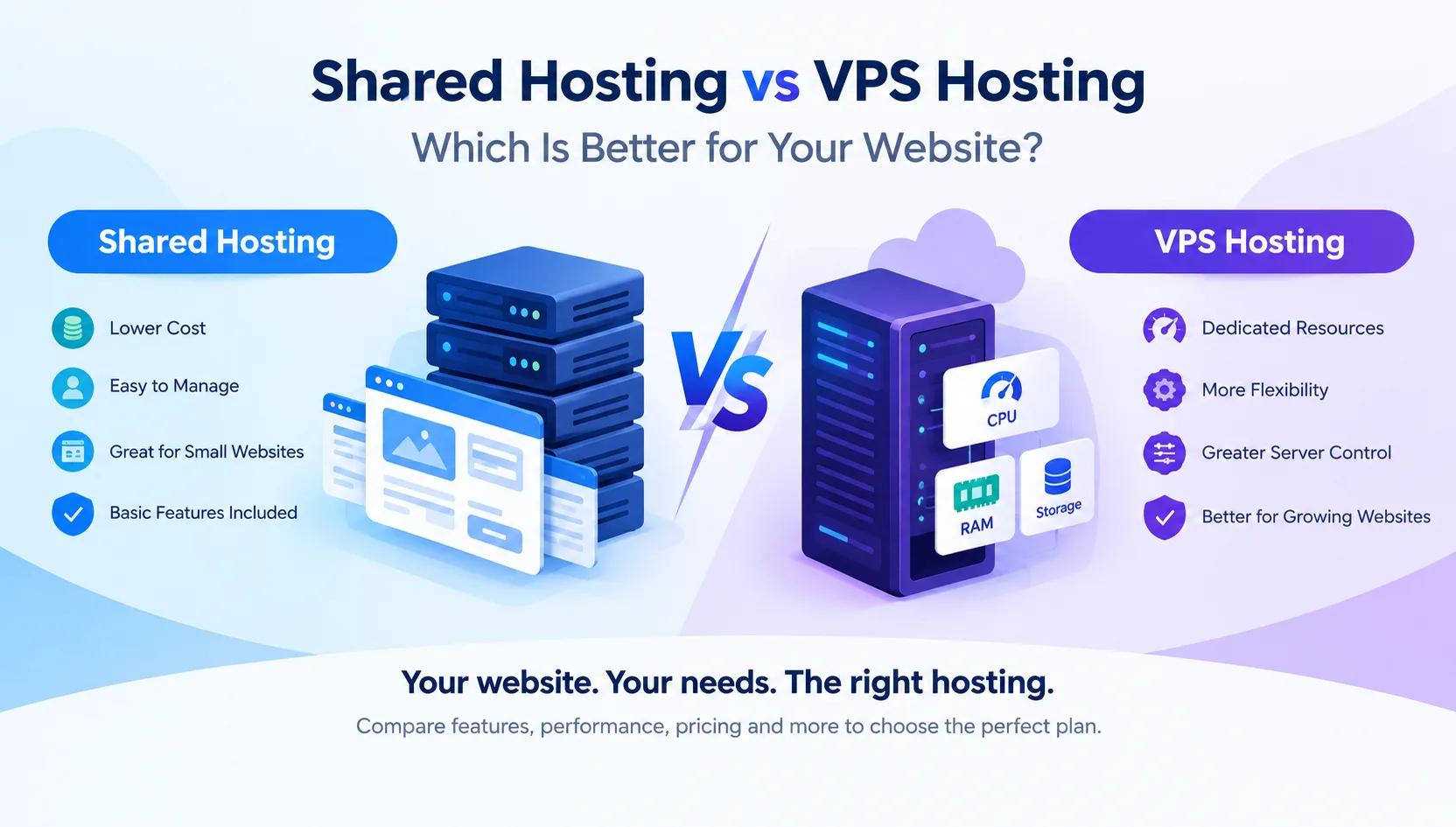
Unlike traditional shared hosting, where multiple websites share the same hosting environment, VPS hosting provides greater control over server resources and software configurations.
For example, if you are running a business website, an online store, or a custom web application, you can configure your VPS according to your project's requirements.
With VPS hosting, you generally get:
Dedicated virtual CPU and RAM allocation.
Independent operating system.
Root or administrator access.
Flexible software installation.
Better resource isolation.
Custom firewall and security configurations.
Ability to host multiple websites and applications.
Options to upgrade server resources as your business grows.
These features make VPS hosting a suitable choice for businesses that need more flexibility than shared hosting can provide.
Why Choose VPS Hosting in India in 2026?
The Indian digital market is growing rapidly. Businesses are investing in websites, online stores, cloud applications, customer management systems, and digital platforms.
As these platforms grow, their hosting requirements also increase.
A slow website can affect customer experience, online sales, and business productivity. Moving to a suitable VPS server can provide the resources and flexibility needed to manage growing workloads.
Here are some important reasons to consider VPS hosting in India.
1. Better Website Performance
A VPS provides an allocated set of server resources for your hosting environment. This helps reduce the performance limitations commonly experienced on overcrowded shared hosting platforms.
Websites with dynamic content, databases, customer dashboards, and multiple applications can benefit from a properly configured VPS.
2. More Control Over Your Server
With root access, you can configure your server according to your requirements.
You can install web servers, databases, programming environments, security tools, and other applications without depending on the limitations of a standard shared hosting account.
3. Improved Security and Isolation
A VPS provides an isolated virtual environment. You can configure your own firewall rules, access permissions, SSH security, and monitoring systems.
However, security still depends on proper server management, regular updates, backups, and application security.
4. Suitable for Growing Businesses
You do not necessarily need to purchase an expensive dedicated server when your website starts growing.
A VPS allows you to begin with a suitable configuration and upgrade CPU, RAM, or storage as your requirements increase.
5. Better Experience for Indian Visitors
If your primary audience is in India, selecting a VPS with an Indian data centre can help reduce network latency for local visitors.
The actual experience also depends on network routing, server configuration, and the visitor's internet connection.
Best VPS Hosting in India: 7 Important Features to Compare
Before purchasing a VPS server, compare the technical specifications and hosting features carefully.
A cheaper plan is not always the best option, and an expensive server does not automatically guarantee better performance.
Here are seven important things to check.
1. CPU Cores and Processor Performance
CPU performance plays an important role in handling website requests, database operations, background processes, and application workloads.
When comparing VPS hosting plans, check:
Number of allocated vCPU cores.
Processor generation and model.
CPU performance under sustained workloads.
Resource allocation and virtualization limits.
For example, a small business website may work comfortably with 2 vCPU cores, while a busy eCommerce platform or application server may require 4 or more cores.
Remember that CPU generation and actual performance matter just as much as the advertised core count.
2. RAM: How Much Memory Do You Need?
RAM determines how much data and how many processes your server can handle efficiently.
Insufficient memory can cause applications to slow down, database operations to struggle, or services to stop unexpectedly.
Here is a general starting point for selecting VPS RAM.
| RAM | Suitable Workloads |
|---|---|
| 2 GB | Small websites and basic applications |
| 4 GB | Business websites and lightweight applications |
| 8 GB | Multiple websites, databases and small eCommerce stores |
| 16 GB | Larger applications, multiple services and growing online stores |
| 32 GB or more | Resource-intensive applications and larger workloads |
These are starting recommendations, not guaranteed requirements. Your actual RAM needs depend on traffic, software, caching, database size, and concurrent users.
If you are planning to run several applications on one server, consider additional memory for future growth.
3. NVMe SSD vs Traditional SSD Storage
Storage technology directly affects how quickly your server can read and write data.
Traditional HDD storage is generally slower than SSD storage. NVMe SSD uses a faster interface and is particularly useful for workloads involving frequent database operations and file access.
Here is a simple comparison:
| Storage Type | Performance | Recommendation |
|---|---|---|
| HDD | Comparatively slow | Basic storage requirements |
| SATA SSD | Good | Standard websites and applications |
| NVMe SSD | High-performance storage | Business websites, databases and applications |
For new VPS deployments in 2026, NVMe SSD is a strong choice.
It can improve database responsiveness, application performance, and file operations, particularly when storage I/O is a bottleneck.
Also check the available storage capacity. Your server needs enough space for operating system files, website data, databases, logs, applications, and backups.
4. Server Location and Data Centre
Server location is another important factor when choosing VPS hosting in India.
If most of your customers are located in India, hosting your applications in an Indian data centre can help deliver lower network latency.
Consider the following:
Data centre location.
Network connectivity.
Infrastructure reliability.
Power and cooling redundancy.
Network monitoring.
Disaster recovery arrangements.
Do not select a hosting provider based on location alone. A well-connected data centre with reliable infrastructure is more important than a location name printed on a pricing page.
5. Bandwidth and Network Speed
Bandwidth determines how much data your VPS can transfer over a given period, while network speed determines the available connection capacity.
For websites receiving regular traffic, insufficient bandwidth can create limitations.
Before purchasing a VPS, check:
Monthly data transfer allowance.
Port speed (such as 1 Gbps).
Network traffic policies.
Fair-use restrictions.
Additional bandwidth charges.
For example, a business website with moderate traffic may not require the same bandwidth as a video platform or file-sharing application.
Always calculate your expected traffic before selecting a plan.
6. Security and Backup Options
Security should never be ignored when selecting a VPS provider.
A VPS gives you greater control, but that also means you need to take responsibility for securing your server.
Look for providers that offer or support:
Firewall configuration.
DDoS protection.
SSH key authentication.
SSL certificate support.
Regular security updates.
Automated backup options.
Snapshot functionality.
Server monitoring.
Keep in mind that a backup should ideally be stored separately from the VPS itself. If your server experiences a major failure, an external backup can help you recover your website and application data.
7. Technical Support and Uptime
Even a powerful server can experience technical problems.
When selecting a VPS hosting company, check whether technical assistance is available when you need it.
Important points include:
24/7 support availability.
Server hardware monitoring.
Network troubleshooting.
Clear uptime commitments.
Backup and recovery assistance.
Transparent support policies.
An advertised uptime percentage should be supported by a clear Service Level Agreement (SLA). Also understand which services and situations are covered.
Linux VPS vs Windows VPS: Which One Should You Choose?
One of the most common questions when purchasing a VPS is whether to choose Linux or Windows.
Both options have different advantages depending on the software and applications you want to run.
Linux VPS Hosting
Linux VPS is commonly used for web hosting, application development, databases, and server management.
Popular operating systems include:
Ubuntu Server.
Debian.
AlmaLinux.
Rocky Linux.
Linux VPS is suitable for PHP, MySQL, Python, Node.js, Laravel, CodeIgniter, Docker, and many other development environments.
It is a popular option for developers and businesses looking for flexible server management.
Windows VPS Hosting
Windows VPS is useful when your applications depend on the Microsoft ecosystem or Windows-specific software.
It can be used for:
ASP.NET applications.
Microsoft SQL Server.
Windows-based business software.
Remote Desktop environments.
Windows-compatible development tools.
Windows VPS may involve additional licensing costs depending on the hosting provider and plan.
Which should you choose?
Choose Linux VPS if your applications are based on PHP, MySQL, Python, or other Linux-compatible technologies.
Choose Windows VPS if your business requires Windows Server, ASP.NET, or Windows-specific applications.
Best VPS Server Configuration for Different Business Requirements
There is no single VPS configuration that works for every business.
The right choice depends on the applications you are running, expected visitors, database operations, and future expansion.
Here is a practical configuration guide.
| Business Requirement | Suggested CPU | Suggested RAM |
|---|---|---|
| Small business website | 2 vCPU | 2–4 GB |
| Multiple websites | 2–4 vCPU | 4–8 GB |
| WordPress websites | 2–4 vCPU | 4–8 GB |
| eCommerce website | 4 vCPU | 8–16 GB |
| Web applications | 4 vCPU | 8–16 GB |
| ERP and CRM software | 4–8 vCPU | 8–16 GB |
| Database-intensive applications | 4–8 vCPU | 16–32 GB |
| Development and testing | 2–4 vCPU | 4–8 GB |
These configurations are indicative starting points. Real-world requirements should be confirmed through performance testing and resource monitoring.
VPS Hosting vs Shared Hosting vs Dedicated Server
If you are confused about which hosting solution to purchase, understanding the differences can make your decision easier.
| Feature | Shared Hosting | VPS Hosting | Dedicated Server |
|---|---|---|---|
| Resources | Shared | Allocated virtual resources | Entire physical server |
| Root Access | Usually No | Yes | Yes |
| Performance Control | Limited | Greater control | Maximum hardware control |
| Custom Configuration | Limited | Flexible | Highly flexible |
| Scalability | Plan dependent | Flexible | Hardware dependent |
| Cost | Low | Medium | High |
| Best For | Small websites | Growing businesses | Large workloads |
Shared Hosting: Suitable for beginners, small websites, blogs, and basic business websites.
VPS Hosting: Suitable for growing websites, online stores, web applications, and businesses requiring more server control.
Dedicated Server: Suitable for resource-intensive workloads, large platforms, and businesses requiring complete physical server resources.
For many growing businesses, VPS hosting offers a practical balance between performance, flexibility, and cost.
How Much Does VPS Hosting Cost in India in 2026?
The cost of VPS hosting in India depends on server specifications, hardware quality, virtualization technology, data centre location, bandwidth, management, and additional services.
Instead of comparing only the monthly price, check what you are actually getting.
The following factors influence VPS hosting prices:
1. CPU and RAM: Servers with more allocated processing power and memory generally cost more.
2. Storage: NVMe storage and larger storage capacities can affect the overall price.
3. Data Centre: Infrastructure quality, network connectivity, and location can influence hosting costs.
4. Managed or Unmanaged VPS: Managed VPS plans generally cost more because they include additional server administration services.
5. Additional Features: Backups, control panels, security services, and licensing may increase the total cost.
How to Find Affordable VPS Hosting in India
If you have a limited budget, do not automatically choose the cheapest available server.
Instead, compare the following:
Monthly and renewal pricing.
CPU and RAM allocation.
NVMe or SSD storage.
Bandwidth limits.
Root access availability.
Backup charges.
Operating system licensing.
Technical support.
A slightly more expensive VPS with reliable infrastructure and better specifications may offer greater value over time.
Managed VPS vs Unmanaged VPS: Understanding the Difference
Another important decision is whether you need managed or unmanaged VPS hosting.
Managed VPS Hosting
With managed VPS hosting, the provider takes responsibility for agreed server administration tasks.
Depending on the plan, these may include:
Server setup.
Operating system updates.
Security configuration.
Performance monitoring.
Troubleshooting.
Backup management.
Managed hosting is useful for business owners who want to focus on their website rather than server administration.
Always check the exact management services included in the package.
Unmanaged VPS Hosting
With unmanaged VPS hosting, you generally receive server resources and administrative access, but you handle most software and operating system management yourself.
This option is suitable for:
Experienced developers.
System administrators.
Hosting professionals.
Businesses with an internal technical team.
Unmanaged VPS hosting can provide more configuration freedom and may cost less than a fully managed solution.
Common Mistakes to Avoid When Buying VPS Hosting
Before purchasing your next VPS, avoid these common mistakes.
1. Choosing Only by Price
A very cheap VPS may have limited resources, poor network connectivity, or unclear usage restrictions.
Compare specifications and service quality rather than focusing only on price.
2. Ignoring CPU Performance
Two VPS plans with the same number of vCPU cores may deliver different performance.
Check the processor model and available resource allocation.
3. Not Checking Storage Technology
A plan advertising SSD storage may not necessarily use NVMe.
Confirm the exact storage type before purchasing.
4. Ignoring Backup Requirements
Never assume that your website is automatically backed up just because you purchased VPS hosting.
Check backup frequency, retention, restoration charges, and storage location.
5. Purchasing More Resources Than Necessary
A larger VPS is not always better.
If your website only needs a small amount of memory and processing power, purchasing a high-end server may unnecessarily increase your monthly expenses.
6. Not Planning for Future Growth
Your business requirements may change over time.
Select a VPS provider that allows you to upgrade resources without unnecessary complications.
7. Ignoring Server Security
A VPS with root access needs proper security configuration.
Use strong passwords, SSH key authentication, firewall rules, regular updates, and secure application configurations.
Why Choose Bindass Host for VPS Hosting?
Finding the right hosting provider is just as important as choosing the right server configuration.
Bindass Host provides hosting solutions for businesses, developers, startups, and growing online platforms that need reliable hosting infrastructure.
Whether you are launching a new website, running business applications, or managing multiple online projects, choosing a VPS configuration that matches your workload is essential.
With Bindass Host, you can explore VPS hosting solutions designed around important hosting requirements.
What to Look for in Your Bindass Host VPS Plan
Powerful Server Resources: Select CPU and RAM according to your application requirements.
NVMe Storage: Choose fast storage for websites, databases, and applications.
Root Access: Configure your server environment according to your technical needs.
Flexible Configuration: Select a suitable server setup for your workload.
High-Speed Networking: Consider network capacity and bandwidth requirements.
Security Options: Protect your server through proper security configurations.
Technical Assistance: Get support when you need help with hosting-related issues.
Whether you need a server for website hosting, application deployment, development, or business software, Bindass Host can help you explore a suitable VPS solution.
Ready to upgrade your hosting experience?
Explore VPS hosting plans at https://www.bindasshost.com/ and choose a server that supports your business requirements.
Final Thoughts
Choosing the best VPS hosting in India in 2026 requires more than comparing CPU cores, RAM, and monthly prices.
You should consider the complete hosting environment, including processor performance, NVMe storage, server location, bandwidth, security, backups, technical support, and upgrade options.
For small websites, a basic VPS configuration may be sufficient. Growing businesses may benefit from additional memory and CPU resources, while resource-intensive applications may require a more powerful server.
The most important thing is to choose a VPS that meets your current requirements without limiting your future growth.
Take time to compare hosting providers, understand their service policies, and select a server that offers the right balance of performance, reliability, and affordability.
Make the right hosting decision today and give your website or business application a stronger foundation for tomorrow.
Frequently Asked Questions (FAQs)
1. Which is the best VPS hosting in India in 2026?
The best VPS hosting depends on your website requirements, server performance, storage technology, security, uptime, and technical support. Look for a provider offering suitable resources, NVMe storage, reliable networking, and flexible upgrades.
2. Is VPS hosting better than shared hosting?
VPS hosting offers greater resource allocation, server control, and configuration flexibility. Shared hosting is generally more affordable and suitable for smaller websites, while VPS hosting is better suited to growing websites and applications.
3. How much RAM is required for VPS hosting?
A small website may work with 2 GB RAM, while business websites and multiple applications may need 4–8 GB or more. Larger eCommerce platforms and database-intensive applications can require 16 GB or higher.
4. Is Linux VPS better than Windows VPS?
Linux VPS is generally suitable for PHP, MySQL, Python, Node.js, and many web development projects. Windows VPS is more appropriate for Windows-based applications, ASP.NET, and Microsoft-specific software.
5. What is the difference between SSD and NVMe VPS hosting?
Both use solid-state storage, but NVMe uses a faster storage interface and can deliver higher data transfer and input/output performance. It is particularly useful for database-heavy websites and applications.
6. Can I host multiple websites on one VPS?
Yes. You can host multiple websites on one VPS using suitable web server configurations or hosting control panels. However, make sure your server has sufficient CPU, RAM, storage, and bandwidth.
7. Is VPS hosting suitable for eCommerce websites?
Yes. VPS hosting can be suitable for eCommerce websites that need greater control over server resources, databases, security configurations, and application performance.
8. Can I upgrade my VPS server later?
Many hosting providers allow customers to upgrade CPU, RAM, and storage as their requirements increase. Check the provider's upgrade policy before purchasing.
9. What is KVM VPS hosting?
KVM (Kernel-based Virtual Machine) is a virtualization technology that provides independent virtual machine environments. It allows each VPS to run its own operating system kernel and offers strong isolation.
10. Is VPS hosting suitable for beginners?
Yes, but beginners should consider managed VPS hosting or a provider that offers sufficient technical assistance. Unmanaged VPS hosting generally requires knowledge of Linux or Windows server administration.
Need help choosing a plan?
Our team will recommend the right hosting for your site — no jargon, no pressure.